What you are joining
Flight Master is the Roblox experience at place 16290530659. Servers hold up to 16 players. Voice chat and the Roblox camera are marked unsupported on the experience listing. The experience is free to join. Some aircraft, ATC, and the Map Editor are Robux purchases, so a first session does not require a shop item.
The description updated on 31 October 2026 is the Update 10 list: Hamilton Island, a physics rework, Doha Hamad International, the Boeing 767, volumetric clouds, cockpit work, wingflex, rebuilt settings, weather, and flight UI, plus a rescript of ATC and the Map Editor. If a video HUD does not match your screen, trust the buttons you can see.
First-session order
- Join the official experience and favorite it so you can find it again.
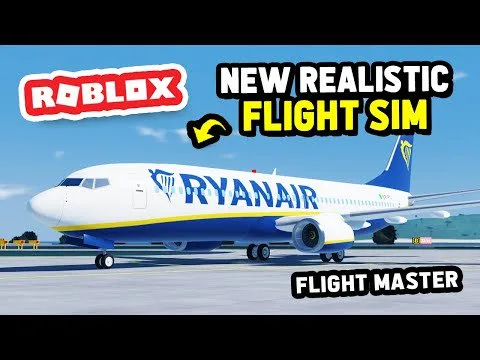
- Choose a narrow-body. The 737-800 has an official cockpit-remodel showcase, and the A320neo has an official release post dated 14 February 2026. Do not make the 767 your first aircraft.
- Spawn at a long runway. Remodeled Doha Hamad is the long-field classroom named in Update 10. Save short island fields until a simple circuit is boring.
- On the ground, start the engines, turn on the lights you need for taxi, push back clear of the gate, and only then add thrust.
- Taxi slowly, hold short if someone else is using the runway, line up, set takeoff flaps, and advance thrust smoothly.
- Rotate only after the jet is accelerating cleanly. No official rotate speed is published. Watch the airspeed tape instead of copying a number from an older clip.
- After a positive climb, raise the gear, climb away, and fly a simple box back to the same runway.
- Land, slow down, exit, and shut down only when you are clear of the runway.
Keys that public flights agree on
Later pages separate current reports from older ones. For the first circuit, these inputs show up together in public flights and in the November 2026 community control sheet:
- E toggles engines.
- P toggles pushback.
- W and S change thrust.
- A and D are rudder, which also steers on the ground.
- The mouse pitches and rolls once flight controls are active.
- L opens lights.
- Flaps, gear, and spoilers are on the flight UI.
C is reported as the control that arms the yoke. In August 2024 the developer told a viewer that cockpit camera was the 2 key. After the Update 10 UI revamp, use the camera control that is actually on your screen.
How to know the circuit worked
You left the gate without full thrust aimed at the terminal, you used the runway only when it was empty, the gear was not down for the whole flight, and the aircraft stopped clear of the runway. One clean circuit is the goal. Repeating that same airport in the same aircraft teaches more than hopping to every livery.
What not to do on day one
Do not paste codes from other Roblox flight games. Do not install an executor to skip the flight model. Update 10 already rewrote physics and the UI, so an old script is more likely to fight the game than to teach a landing.
After the first circuit
Read the controls page once while you are parked, then the takeoff and landing page. When those feel ordinary, open the airport notes before you try Hamilton Island's remodel or a short field, and open the 767 page only after the narrow-body landings are consistent.